Get Paid for Every Hour
You Work

The hard part of hourly work isn't tracking it. It's remembering who has actually paid you.

Today Screen Analytics Charts Screen Reports Monthly Screen

Always Available, Always Private

Your records stay on your device and in your own iCloud. No servers, no account.

100%
Offline First
34
Languages
80+
Countries

Works Without Internet

Track time, generate reports, and manage clients completely offline

iCloud Backup

Your data syncs privately through your iCloud account

Everything You Need,
Nothing You Don't

Four screens, one for each tense of your work

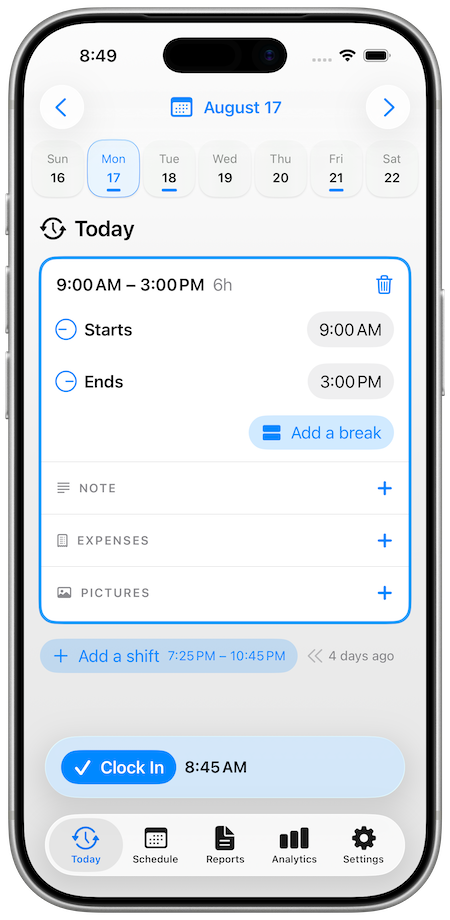
Today — the work in front of you

Start a shift with one tap and watch earnings add up live, or tick off one you planned. Breaks split the shift around them, so unpaid time never lands in your billable total.
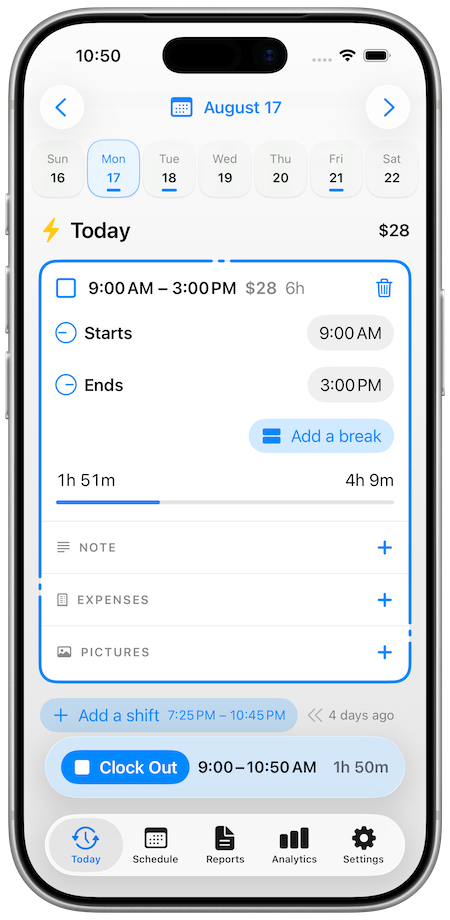
Today Screen

Schedule — what's coming

Plan the week and see what it's worth before it starts. Widgets sit on your Home Screen; a Live Activity tracks it from your Lock Screen.
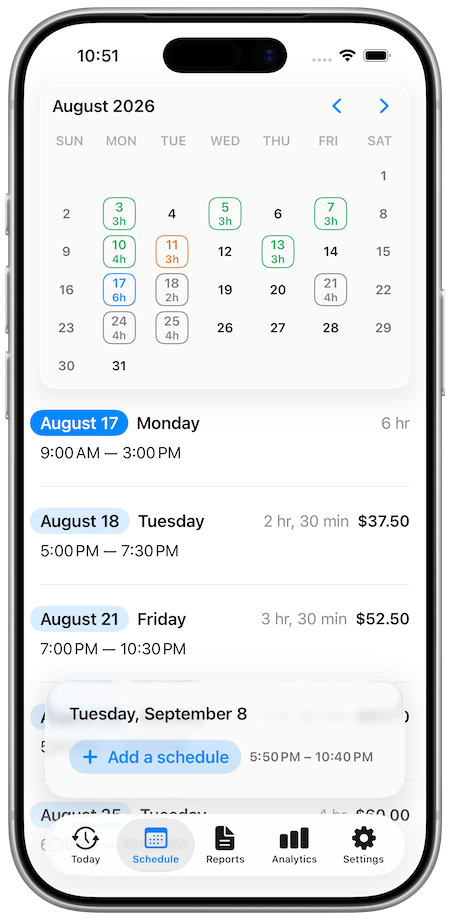
Schedule Screen

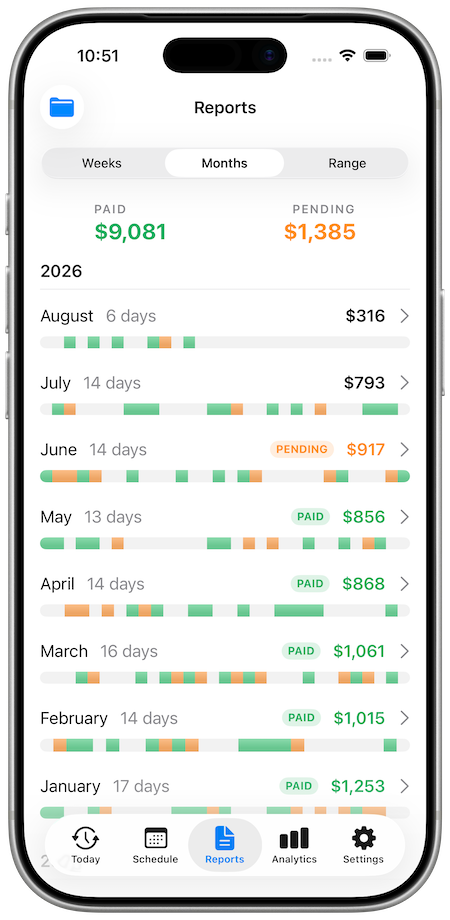
Reports — turn it into money

Any date range as a PDF invoice or timesheet. Every entry tagged paid or pending, so you chase the right client.
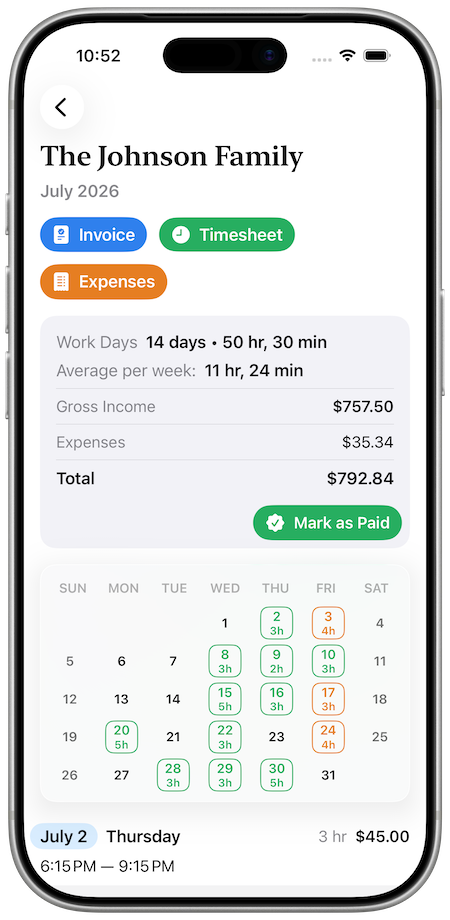
Reports Screen

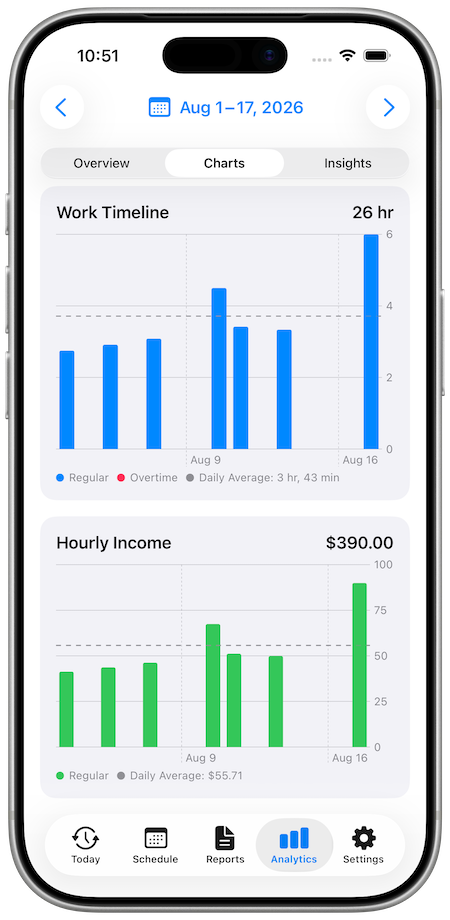
Analytics — what it adds up to

Which clients are genuinely worth your time, and which hours pay best.
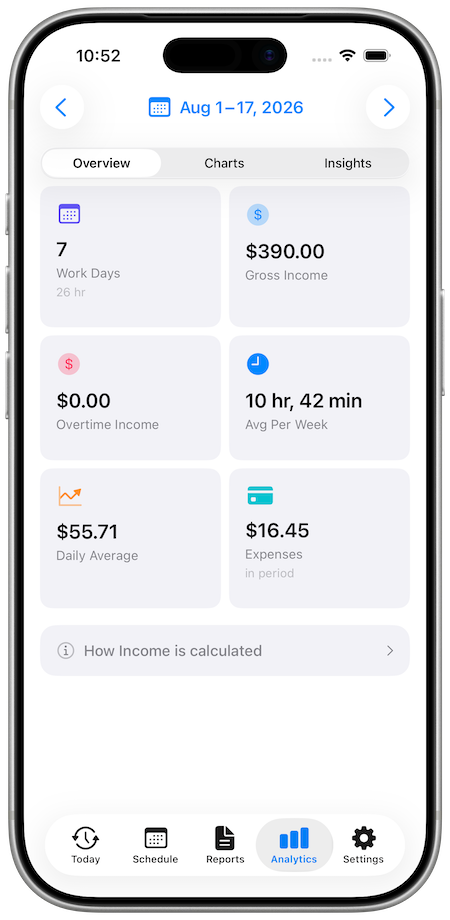
Analytics Screen

Professional PDF Exports

Generate invoices, timesheets, and expense reports instantly. Everything formatted, calculated, and ready to send.
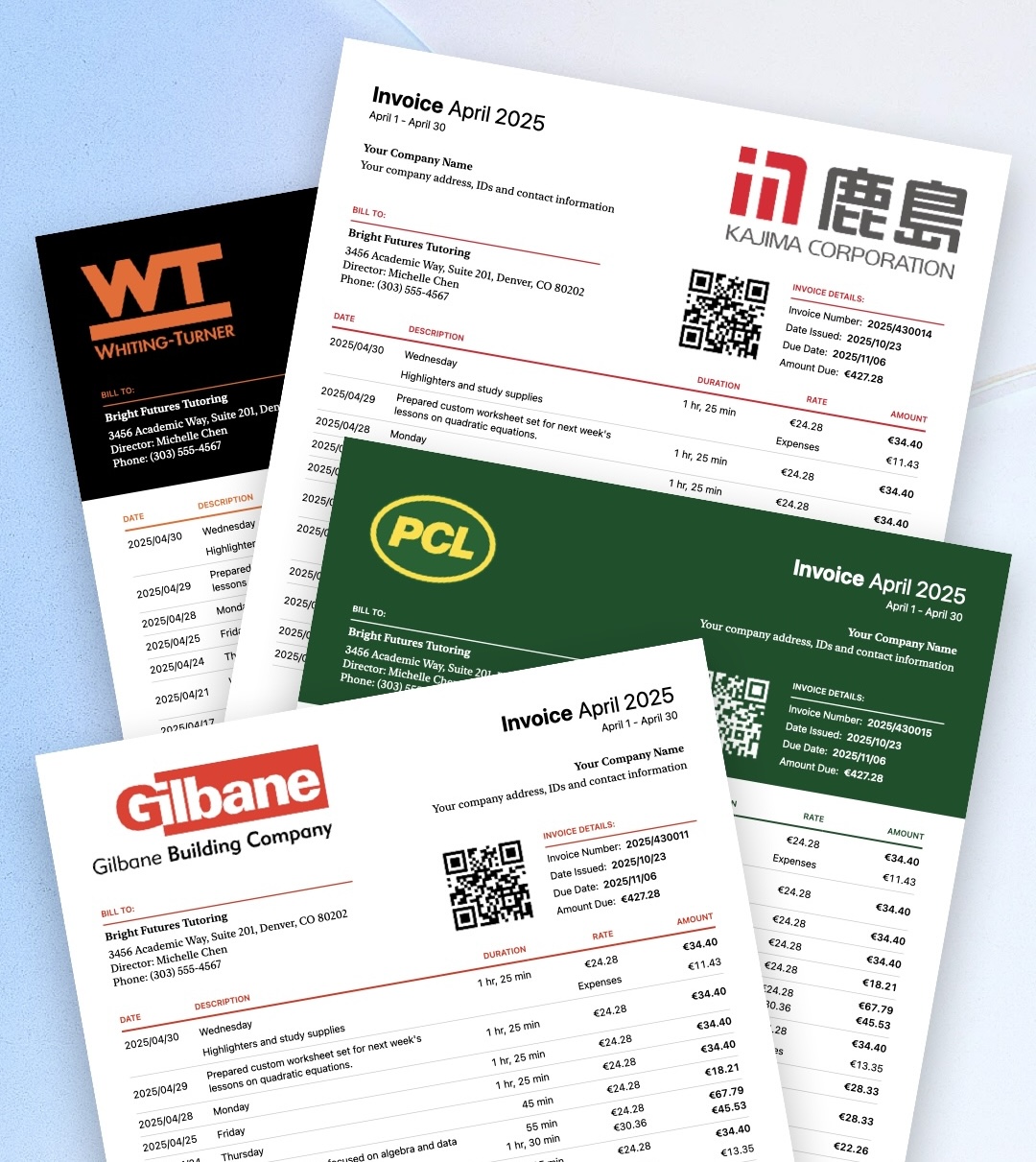
  • Invoices with tax and overtime calculations
  • Professional timesheets for hourly work
  • Expense reports for reimbursement
  • Notes, photos, and your signature
  • Weekly, monthly, or custom date range
  • Instant export and sharing

Brand Your Invoices

Upload your logo once and WorkHourly handles the rest. Automatic background removal, color extraction, and live preview make branding effortless.
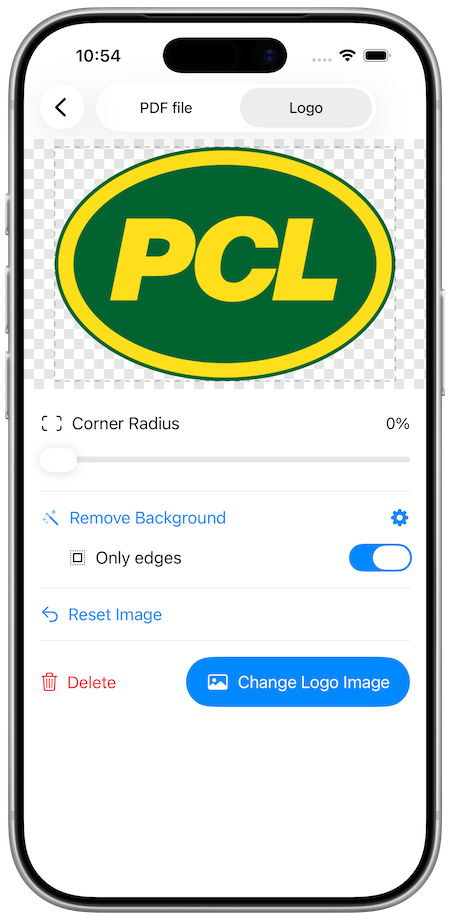
Logo Upload Interface

Upload & Customize

Upload any logo image

Automatic background removal

Adjust corner radius and positioning
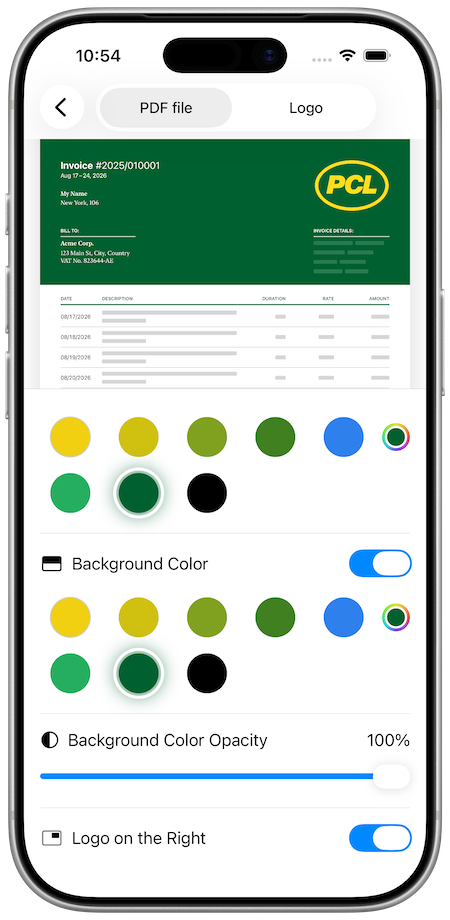
PDF Preview with Logo

Preview & Apply

Extract brand colors instantly

Preview and apply to all invoices
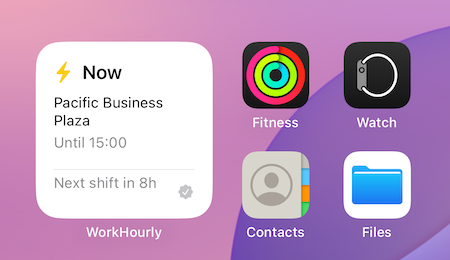
Your Schedule at a Glance

Keep track of your upcoming work without opening the app. Schedule widgets show your next shifts, current work status, and live countdowns - all updating automatically on your home screen and Lock Screen.

Available Widget Sizes

Small Medium Lock Screen
WorkHourly Widgets

Intelligence Built In

Small details that make a big difference in your daily workflow

🎨

Visual Organization

Assign a unique color to each client for instant recognition throughout the app. See your schedule at a glance with color-coded shifts in Today, Schedule, and Reports.

  • Color-code each client
  • Quick visual identification
  • Consistent across all screens
☁️

Seamless Sync

Your settings automatically backup to iCloud. Work offline without limits, and your preferences sync across devices seamlessly when you're ready.

  • iCloud settings backup
  • Offline-first design
  • Cross-device sync

Frequently Asked Questions

Built specifically for service professionals with multiple clients. Track expenses per job (not per day), document work with photos, automatic overtime detection, and professional PDF invoices. Works completely offline - no server, no internet required.
Perfect for nannies, handymen, tutors, cleaners, consultants, and any professional juggling multiple clients with different rates and schedules. If you work with several clients at varying hourly rates or fixed salaries, WorkHourly handles the complexity.
Mark each shift paid or pending as the money comes in. Reports show a paid-versus-pending total for every client, so nothing quietly slips through the gap between one job and the next.
All data lives on your phone. Track time, log expenses, generate invoices with zero connectivity. Essential for basements, rural areas, anywhere service work takes you.
Yes. Each client gets unique payroll settings: hourly rate, fixed salary, overtime rules, tax rates. One client pays $20/hour, another $1200/month salary, another $35/hour with weekend double-time - all calculated automatically.
Set regular and overtime rates per client. App prompts for actual end time when scheduled work finishes. Every extra minute calculated at correct overtime rate automatically. Different clients can have different overtime rules.
Yes, expenses attach to individual work shifts, not days. Morning client's materials stay separate from afternoon client's costs. Add photos of receipts, descriptions - everything appears on the correct invoice.
Tap "Add a shift" anytime to log past work. Fill in client, start time, end time — WorkHourly calculates hours and overtime and slots it into your timeline. Add expenses and notes even for work from weeks ago.
Calculates every minute precisely - no rounding, no estimates. Work 3 hours 45 minutes? That's exactly what's calculated. All math happens on your phone using tested algorithms. Every number is audit-ready.
Upload your logo once — WorkHourly clears the background, trims the edges, and pulls its colors out as ready-made invoice swatches. Place it left or right, round the corners, and watch the invoice update live as you adjust it.
Data goes directly to your personal iCloud account. We never see it. Apple handles encryption and security. Lose your phone? Everything syncs back on new device. Completely private backup.
Assign unique color per client. Colors appear consistently across Today, Schedule, Analytics, and Reports. Visual recognition is instant - your brain processes color faster than text. Essential for 3+ clients.
See which clients are most profitable, your productive days, work consistency patterns. Charts reveal trends: which days you work longest, which clients pay best. Business intelligence for smarter scheduling decisions.
Add a break and the shift splits around it, so the unpaid gap never lands in your billable total. Tap the break to move or remove it — remove it and the two halves merge back together.
Schedule Mode (plan shifts, mark complete when done) or Clock In/Out Mode (real-time timer with live earnings). Either mode lets you schedule future shifts and add past work. Switch anytime in Settings - it's just your preferred interface for today's work.
Schedule widgets show upcoming shifts on home screen and Lock Screen. Auto-updating live countdowns ("In 3 hours" → "In 2 hours"). Available in Small, Medium, and Lock Screen sizes.
Your iCloud account keeps a private backup: settings, clients, rates, colors, and break times sync automatically. Sign in with your Apple ID on the new phone and everything restores.
Morning notification about today's work. Optional reminders before shifts start. All scheduled locally on your phone - works without internet, even in areas with no signal.
Every shift has a Pictures section — tap the plus button and choose Take Photo or Choose from Library. Before/after shots, receipt photos, progress pics — everything stays private on your phone.
Today is the work in front of you, Schedule is what's coming, Reports turns worked time into invoices and numbers, and Analytics shows what it all adds up to.
Set the new rate and pick the date it takes effect. Shifts before that date keep the pay they were worth at the time, so your history and analytics stay honest.
Yes — shift photos can be exported into the invoice PDF as proof of work, separately from the notes you keep on the shift.